
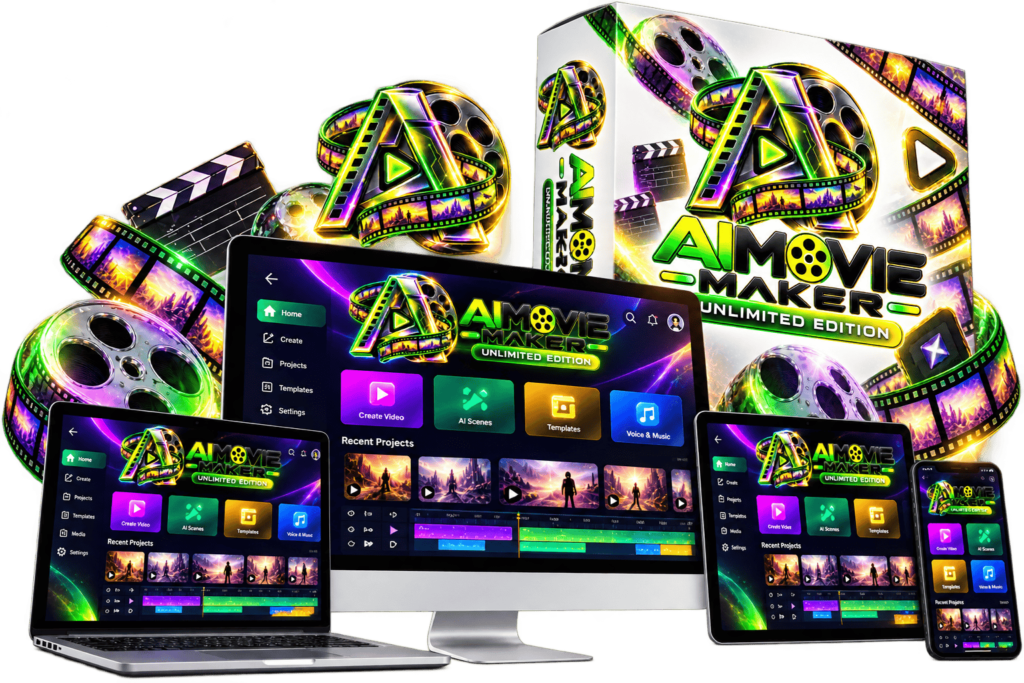
Unlimited AI Movie Maker Review: Features, Pricing & What to Know
Explore an AI-assisted movie creation platform designed to bring story development, scene generation, narration, music and editing into one workflow. This review examines the advertised features, potential uses, pricing and important limitations to consider before purchasing.
Review basis: Publicly available vendor information. No independent hands-on test has been conducted for this review.
View Official Product Offer →Unlimited AI Movie Maker at a Glance
Unlimited AI Movie Maker is marketed as an AI-powered production workspace for turning ideas, scripts and stories into movie-style video content. The vendor describes tools for planning stories, generating scenes, creating dialogue and narration, adding audio, editing videos and exporting finished projects.
| Product | AiMovie Maker Unlimited Edition |
|---|---|
| Category | AI movie and video creation software |
| Vendor information | Uddhab Pramanik / InSource Apps, as presented on the sales page |
| Platform | Browser-based, cloud software, according to the vendor |
| Advertised price | $14.95 one-time; confirm the current checkout price |
| Export formats | 16:9, 9:16 and 1:1 are advertised |
| Export quality | HD and 4K export are advertised |
| Commercial license | Advertised as included; check the applicable license terms |
| Refund policy | 30-day money-back guarantee advertised by the vendor |
| Independent testing | Not performed for this review |
The information above summarizes vendor statements. Features, pricing, availability and terms can change; check the live sales page and checkout before purchasing.
What Is Unlimited AI Movie Maker?
Traditional video production can involve separate tools for writing, visuals, narration, music, editing and export. This product aims to bring several of those tasks together in one AI-assisted workspace.
According to the vendor, users can develop a movie idea, prepare a script, generate scenes, work with AI characters and voices, assemble a video and create promotional assets such as posters and short clips.
Potential applications include short films, story-based videos, educational projects, trailers, social content and promotional videos. The suitability of the output depends on the quality of the generated material and the requirements of each project.
Key Advertised Features
The features below are described in the vendor's sales material. Their performance has not been independently tested for this review.
Story Ideas & Scriptwriting
Tools for developing concepts, story ideas, scripts, scenes and dialogue from prompts or other inputs.
AI Scene Generation
Generate movie-style scenes from text or image inputs, with visual styles and camera effects advertised by the vendor.
Character Consistency
Character tools are advertised to help maintain a recurring visual identity across scenes. Actual consistency should be tested.
Voice & Dialogue
AI narration, voices, dialogue and lip-sync capabilities are described as part of the production workflow.
Music & Sound Effects
Tools for generating or incorporating music, sound effects and audio into video projects are advertised.
Editing & Export
The sales page describes movie assembly, captions, transitions, multiple aspect ratios and HD/4K exports.
How the Intended Workflow Works
The vendor presents the software as a connected production workflow. In practical terms, the process is intended to look like this:
1. Develop the idea
Choose a story concept or prompt and use the advertised planning and scriptwriting tools to prepare the project.
2. Create scenes
Generate visuals and develop characters, dialogue and narration using the available AI tools.
3. Assemble the movie
Review the generated scenes, arrange the material and use the available editing, audio and caption features.
4. Review and export
Check continuity, sound, visual quality, factual accuracy and usage rights before exporting or publishing the finished project.
This describes the intended workflow based on the vendor's presentation, not a verified demonstration of actual software performance.
Potential Advantages and Limitations
Potential advantages
- Several production tasks are advertised in one workspace.
- AI-assisted writing may help users develop an initial concept.
- Multiple aspect ratios are advertised for different publishing platforms.
- Commercial licensing is advertised as included.
- A browser-based workflow may reduce the need to install desktop software.
Limitations to consider
- Actual video quality and generation speed have not been independently verified.
- Character consistency and lip-sync may vary between generations.
- Generated scenes may require revisions and additional editing.
- Usage limits, service availability and future model access should be confirmed.
- Commercial usage rights depend on the actual license and applicable third-party rights.
- Some additional features, upgrades or bonuses may have separate terms or costs.
Who Might Consider This Tool?
It may be worth evaluating if you:
- Want to experiment with AI-assisted storytelling.
- Create short films, trailers or social media videos.
- Need help with initial scripts, scenes or narration.
- Are comfortable checking and editing AI-generated output.
- Want to explore a consolidated production workflow.
Think carefully if you:
- Need guaranteed professional-grade output every time.
- Require precise control over every frame and character movement.
- Need verified commercial rights for a specific client or project.
- Expect automatic income or guaranteed customers.
- Cannot tolerate interruptions, inconsistent output or extra editing work.
Questions to answer before buying
- Can the tool generate the type and duration of video you actually need?
- What are the real generation limits, processing times and export restrictions?
- Does the license cover your intended commercial use?
- Are all the features you need included in the advertised base offer?
- What refund conditions and support arrangements apply?
Pricing and Refund Policy
The vendor advertises a one-time payment for the front-end edition. The sales page also promotes additional bonuses and may present optional upgrades during checkout.
- Verify the current purchase price at checkout.
- Check whether the advertised features are included in the base edition.
- Review optional upgrades and any additional charges before ordering.
- Read the exact commercial license and usage restrictions.
- Review the advertised 30-day money-back guarantee and its applicable terms.
The live checkout, license and refund terms should be treated as authoritative. This review does not independently confirm the offer's availability or eligibility.
Our Assessment: What Is Verified and What Is Not?
What the sales page establishes
The vendor markets a suite of AI movie-production tools and advertises a $14.95 one-time offer, commercial licensing, multiple export formats and a 30-day refund guarantee.
What remains unverified
This review does not establish real-world output quality, processing speed, reliability, user satisfaction, the practical meaning of unlimited usage or the value of the product relative to alternatives.
Our practical conclusion
The advertised feature set may interest creators who want to explore AI-assisted video production. However, the most important buying decision is whether the software produces usable results for your particular projects and whether its actual terms meet your requirements.
We recommend verifying those details before purchasing rather than relying on marketing promises alone.
Frequently Asked Questions
What is Unlimited AI Movie Maker?
It is marketed as an AI-assisted movie and video creation platform with tools for story planning, scripts, scenes, narration, audio, editing and exports.
Is the software really unlimited?
The vendor advertises unlimited generation and exports. We have not independently verified those claims or established whether technical, fair-use, API or service restrictions apply. Check the current terms.
Can I create videos for YouTube and social media?
The vendor advertises common landscape, vertical and square export formats. Confirm the actual output quality, supported durations and platform requirements before depending on it for a publishing workflow.
Can I use the generated videos commercially?
The vendor advertises an included commercial license. Read the applicable license and verify any restrictions involving generated content, third-party material, music, voices and recognizable people.
Does it guarantee income from video creation?
No. Software does not guarantee clients, views, sales or income. Outcomes depend on your content, audience, distribution, demand and business execution.
What is the advertised price?
The sales page advertises $14.95 as a one-time front-end price. Confirm the actual price, included features, optional upgrades and applicable terms at checkout.
Does the vendor offer a refund?
The vendor advertises a 30-day money-back guarantee. Review the current refund policy and follow the stated procedure if you need to request a refund.
Has DigiAIBoost independently tested this product?
No hands-on test has been conducted for this review. Product capabilities and performance described here are based on the vendor's published information and remain independently unverified.
Explore the Official Product Details
Compare the advertised features with your needs and review the current price, license, upgrade options and refund terms before making a decision.
Visit the Official Sales Page →DigiAIBoost is an independent review publisher. It is not presented as the product vendor or as an endorsed official website.